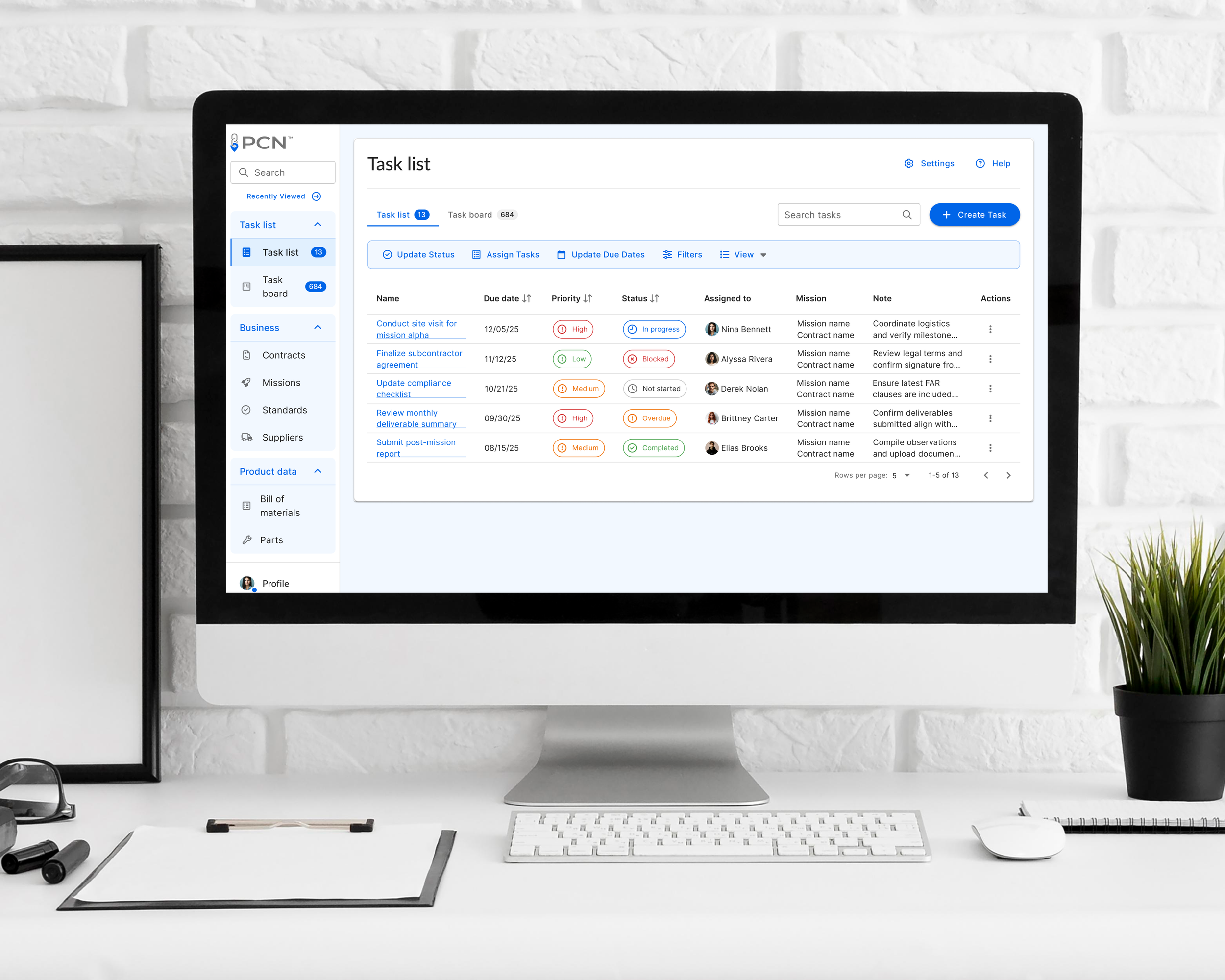
Evidence-first contract evaluation using AI

P.A.R.T.S is an AI-powered contract evaluation tool developed through a government SBIR award to help PCNs assess contracts against mission-critical standards. The challenge was enabling accurate, defensible evaluations while accommodating complex regulations and limited user tolerance for cognitive overhead.

I owned the UX strategy and high-fidelity design, balancing compliance constraints, immature AI workflows, and minimal access to end users. The final solution integrated task-based evaluation with a conversational AI interface, providing both structured scoring and contextual analysis. The work was approved for ongoing development within the SBIR program.

Project Overview: Context, Problem, and Constraints

A web-based contract evaluation platform for a government grant (DCMA), designed to support automated analysis of high-volume supply chain contracts against multiple compliance and quality standards.

Product and client

Quality Engineers responsible for mission-critical government contracts lack a unified, efficient way to evaluate daily contract activity against multiple compliance and quality standards. As a result, contract assessments are slow, inconsistent, and error-prone, increasing operational risk and reducing mission readiness.

Core problem

Root causes

  • Contract data and evaluation tools are fragmented across multiple systems

  • Evaluations against multiple standards must be performed manually and repeatedly

  • There is no consistent, centralized view of daily contract workload or evaluation status

Who is impacted

  • Quality Engineers (QEs): Spend excessive time gathering information, duplicating effort, and performing manual analysis instead of applying judgment

  • Quality Managers (QMs): Lack real-time visibility into contract quality, prioritization, and risk across the day’s workload

  • Government Programs: Face delayed decisions, inconsistent evaluations, and increased compliance risk

Role and scope

Senior UI/UX Designer

  • Analyzing sensitive government data through selective disclosure methods while meeting federal security, access control, and audit-ability requirements

  • Contract volume, complexity, and multi-standard evaluation requirements exceeded what could be reliably performed through manual review alone

Key constraints

Why this matters

Without a reliable and timely way to evaluate contracts daily, quality oversight becomes reactive instead of proactive, undermining accountability, decision speed, and mission outcomes.

Intended outcome

Enable government quality teams to analyze mission-critical contracts against multiple standards in a single, secure system, improving evaluation speed, consistency, and oversight.

What we knew vs. what we assumed

Assumptions and hypotheses

Decisions I made before designing:

  • Assumption: AI-assisted contract evaluation can reduce manual work by 50–70%

    • Why reasonable: High-volume contracts, repetitive checks, limited human capacity

    • Mitigation: Designed human-in-the-loop workflow for verification

  • Assumption: QEs can adopt a single interface if it matches existing evaluation heuristics

    • Why reasonable: Stakeholder interviews suggested familiarity is key to adoption

  • Assumption: Prioritization queue can be automated without missing critical contracts

    • Built fallback alerts for QMs

Evidence I had before designing:

  • Existing systems: QEs used 2+ legacy platforms to evaluate contracts

  • Stakeholder insights: QMs reported daily workflow bottlenecks and lack of prioritization

  • Historical data: Number of contracts per day, frequency of errors

  • Government standards: Regulations and compliance requirements that cannot be ignored

Known inputs

Crafting user personas: Understanding your audience

To make sure that I understood a Web 3 user and that my process was as user-centered as possible, I wanted to have a clear understanding of who a typical user was that was interested in our wallet setup and import process.

  • Users want to make their wallet setup, import, and replacement process as user-friendly and effortless as possible. Ideally, you could set up a new wallet or import one in just a couple of steps and do it from a variety of devices.

  • Users want the ability to understand the steps needed to take before importing or replacing their wallet. It’s important to note that they need to transfer their funds prior to initializing a replacement flow in order for the funds to not be lost.

  • Users need to be able to review a side-by-side screen for a comparison of their wallets to view their account balances when replacing their brand wallet.

Defining the problem: Identifying core challenges

With my understanding of our wallet user Winslow, I wanted to start thinking about what problems we are trying to solve for her. I created a point-of-view diagram and a series of questions that would help drive my brainstorming process.

  • What insights could I understand about the wallet setup and import process and its replace and manage wallet features?

  • What are her immediate needs during the process?

  • What her point of view would be like and how could I empathize with it?

  • How might we help her?

Setting clear project goals: Achieving success

After defining the problem, I generated a lot of ideas for these problems. I started to strategize and determine what goals I was trying to meet and what solutions would need to be prioritized. I ended up with an intersection with 3 takeaways:

  • Users need a reliable end-to-end wallet setup and import process

  • Users need wallet flows that allow a variety of options customized to meet any user’s needs

  • Users need a personalized experience

Creating an effective site map: Structuring your web application

To plan out the site architecture for this application and where the features would fit, I created an application site map (ongoing) to organize the screens in a way that would be logical and intuitive for Winslow. I had explored 2-3 different versions before settling on the current layout, which was chosen based on user onboarding and overall flow considerations. By watching user flow sessions and their heatmaps with Hotjar, I determined that most new users will onboard, set up their wallet and then purchase node(s). Because of this, I chose to design a top-level navigation in our dashboard that would allow a user to access their nodes dashboard, rewards overview, and wallet.

Wireframing essentials: Building the blueprint for design

I worked on making informed decisions on designing the initial wireframes for this project. Initially there was functionality to manage certain aspects of the wallet, and having the ability to set up and import wallet on the Manage Wallets tab. Over time this would be revised as business needs and certain functionality would become more clear (showcasing multiple wallets or just giving the user the ability to view the Core wallet on the client side UI). At the time, it met the needs of Winslow as she could set up, or import a wallet, and view multiple wallets (Core, Legacy, Archived) from the Manage Wallets tab. Since the flow for setting up a new wallet already existed I didn’t wireframe for that or importing and replacing a wallet.

Account Management Manage Wallets

Core Wallet Details Page

Wallet Dashboard Tokens Page

Designing user flows: Enhancing the user experience

To understand the overall journey that Winslow would be taking through the app from start to finish, I created different flows that walked through different paths she could take. She could either set up or import her wallet if she didn’t have one already, or could replace an existing wallet (legacy or core), while managing her wallet from her account management tab. To view the journey maps click here.

SET UP WALLET FLOW

Winslow would select set up a new wallet, sign and accept the terms and conditions, receive her 12-word mnemonic phrase and record it for safekeeping. She would then re-enter her 12-word mnemonic phrase and enter her passcode. This would then redirect her to her wallet dashboard where she could view her wallet balances, manage her wallet or replace it.

IMPORT WALLET FLOW

Winslow would select the import wallet CTA button from her wallet dashboard and view a splash screen where she had to review and agree to the steps she was about to take. She would then be prompted to enter her 12-word mnemonic phrase and her wallet passcode. She would select the complete CTA button and it would check against the lexicon if the 12-word phrase was correct and that her passcode was correct. She would then be prompted to enter and confirm a new passcode, validating if it matched, and then would click the complete CTA button. A success modal would appear and she would then be redirected to her wallet dashboard where she could view her wallet balances.

REPLACE WALLET FLOW

Winslow would select the brand wallet and select replace wallet from the ellipses menu. She would view a splash screen where she had to review and agree to the steps she was about to take, then be prompted to enter her current passcode. Next she would be prompted to enter her 12-word mnemonic phrase and select continue CTA button. She would review her wallet balances and confirm that the tokens had been transferred and click the replace wallet CTA button. A success modal would appear and she would be redirected to her wallet dashboard.

Usability testing: Ensuring user-friendly designs

  • Method: Maze testing, user participation from research, and user testing slack channel

  • Participants: 7

  • Age Range: 24-54

  • Average Time: 3-5 minutes

  • Task 1 Set up a new wallet - Completion Rate: 60%, 80% Direct Success, 20% Indirect Success

    ✅ Users were able to set up a wallet in less than 4 steps

  • Task 2 Import a new wallet - Completion Rate: 80%, 100% Direct Success

    ✅ Users were able to import a wallet in less than 4 steps

  • Task 3 Replace an existing wallet - Completion Rate: 70%, 80% Direct Success, 20% Indirect Success

    ✅ Users were able to replace a wallet in less than 4 steps

  • Task 4 Manage your wallets from account management - Completion Rate: 80%, 100% Direct Success

    ✅ Users were able to manage their wallets with little to no confusion

Overall, the testing showed positive results and most users found the process easy to navigate and understood how to complete their task. One interesting finding was there was confusion amongst users when they reached the wallet dashboard at the end of each flow and tried to navigate between different wallets. They were confused with having a drop down and an ellipses menu on the wallet card. Based on this feedback I removed the dropdown and multi wallet select option, but still allowed the user to view their wallets from their account management.

OVERVIEW

Select set up a new wallet

Agree to and sign the terms and agreements

Enter in mnemonic phrase and passcode

Wallet pashboard

Account management manage wallets

Import wallet splash screen

Wallet transfer review

Revisions and updates: Refining your project

Taking what I learned from our user testing for phase I of this project, I made key updates:

✅ Added a wallet passcode input field to the replace wallet splash screen

✅ Removed balance over time graph and ellipses menu from wallet dashboard

✅ Removed the ability to switch between your wallets on the wallet dashboard

✅ Added the ability to copy your wallet ETH/BTC addresses for wallets

✅ Removed the ability to rename your wallet in wallet details view

✅ Removed archived wallet(s) from manage wallets tab in account management

✅ Removed the ability to show/hide your legacy wallet

✅ Added a screen with multiple wallet views for replace wallet flow review

✅ Added Bitcoin and Ethereum addresses for confirmation after entering 12-word mnemonic phrase

Final prototype: Ready for launch

Taking my revised mockups, I created a final high-fidelity mockup and prototype. With this phase clearly defined, I worked on incorporating new feature set ideas as well as anticipating future iterations.

View Mockups

Reflections and impact: Learning from experience

This project is still under development but based on projections and preliminary findings, I anticipate the following impact:

✅ Over 80% conversion rate for replacing a legacy wallet users to either a new Connect, Core, or third party wallet (MetaMask, Coinbase)

✅ Over 70% adoption for new users signing up for a wallet or importing a third party wallet

✅ 100% success rate in managing their wallet(s) from one central location

✅ 100% of users find the process streamlined and easy to use with each flow being less than 5 steps to complete

Next
Next

Unlocking the future: Bring your wallet along